Apple Watch can show energy (the Move ring and workouts) in kilojoules (kJ), Calories or kilocalories. If your watch was set up in Australia, New Zealand or another metric region, it may default to kJ. You can change it in a few taps, either on the watch or from your iPhone.
Apple sometimes renames menus between watchOS and iOS versions. If a label below looks slightly different on your device, look for Workout → Units of Measure → Energy Units.
On this page
Option 1: Change The Unit On The Apple Watch
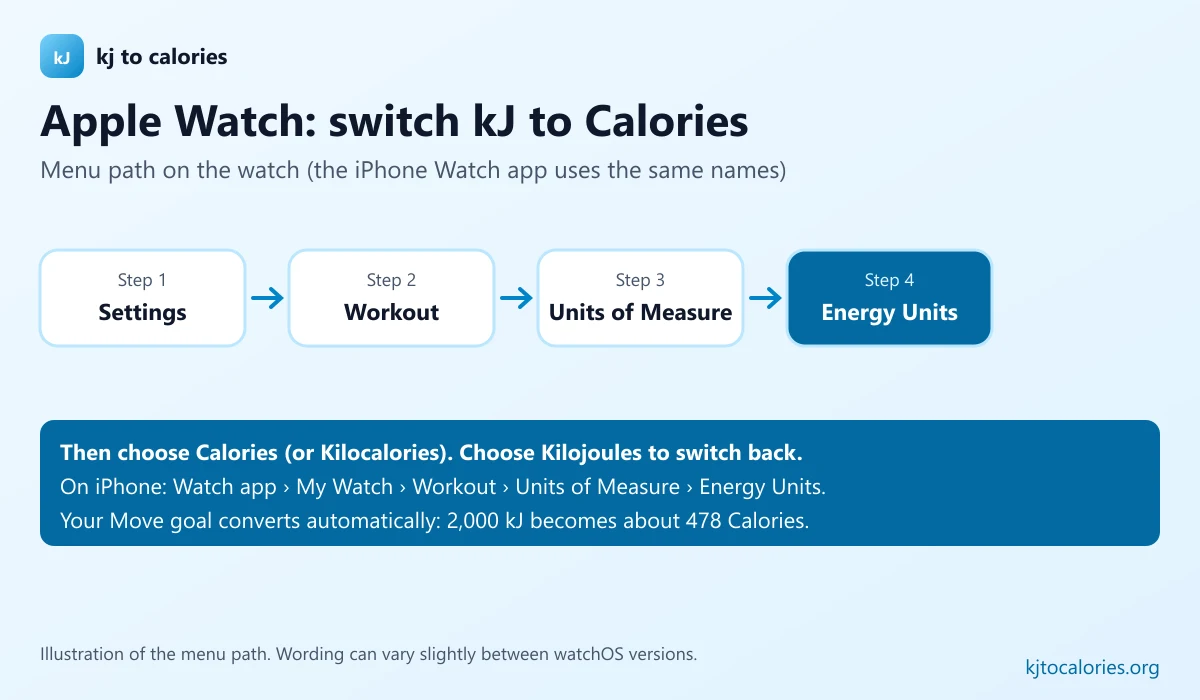
- Press the Digital Crown and open Settings (the grey gear icon).
- Scroll down and tap Workout.
- Tap Units of Measure.
- Tap Energy Units.
- Choose Calories (or Kilocalories) to stop seeing kJ, or Kilojoules to switch back.
Option 2: Change It From Your iPhone
- Open the Watch app on your iPhone.
- On the My Watch tab, tap Workout.
- Tap Units of Measure.
- Under Energy Units, choose Calories, Kilocalories or Kilojoules.
The change syncs to your watch, and your Move ring goal is converted automatically: for example, a 2,000 kJ goal becomes about 478 Calories.
Calories Vs Kilocalories On Apple Watch
Apple offers both “Calories” and “Kilocalories”. For exercise and food they are the same size (1 Calorie = 1 kcal = 4.184 kJ); only the label changes. Choose whichever matches your food-tracking app.
Converting Existing kJ Readings Yourself
Past workouts stay in the Health app and are shown in the new unit after you switch. If you just want to check a number, divide by 4.184:
| Apple Watch reading | In Calories |
|---|---|
| 600 kJ Move goal | 143 kcal |
| 1,200 kJ | 287 kcal |
| 2,000 kJ | 478 kcal |
| 2,500 kJ | 598 kcal |
| 3,000 kJ | 717 kcal |
Change The Unit In The iPhone Health App Too
The Health app has its own unit settings for data such as Active Energy. See how to change kJ to Calories in health apps for iPhone Health and other popular apps.
Troubleshooting
- Can’t find Units of Measure? Update your watch and iPhone, then check Settings → Workout again.
- Move ring still shows kJ? Close and reopen the Activity app, or restart the watch.
- Numbers look too high or low? Check that your age, height and weight are up to date in Watch app → Health → Health Details; energy estimates depend on them.
FAQ
How do I change my Apple Watch from kJ to Calories?
On the watch, open Settings → Workout → Units of Measure → Energy Units and choose Calories. Or on your iPhone, open the Watch app → Workout → Units of Measure.
Why is my Apple Watch in kJ?
The default energy unit follows your region settings. Watches set up in countries that label food in kilojoules often start in kJ.
Will changing units reset my Move goal?
No. The goal is converted to the new unit automatically.
How many Calories is 1,000 kJ on my Apple Watch?
1,000 kJ ÷ 4.184 = 239 Calories.