MyFitnessPal lets you choose whether energy is shown in Calories or kilojoules. Accounts created in Australia or New Zealand often start in kJ. Switching takes about 30 seconds, and your goals are converted automatically.
MyFitnessPal updates its menus from time to time. If the wording below doesn’t match your screen exactly, look for Settings → Units (sometimes under Preferences) and the Energy option.
On this page
Change MyFitnessPal To Calories In The App (iPhone Or Android)
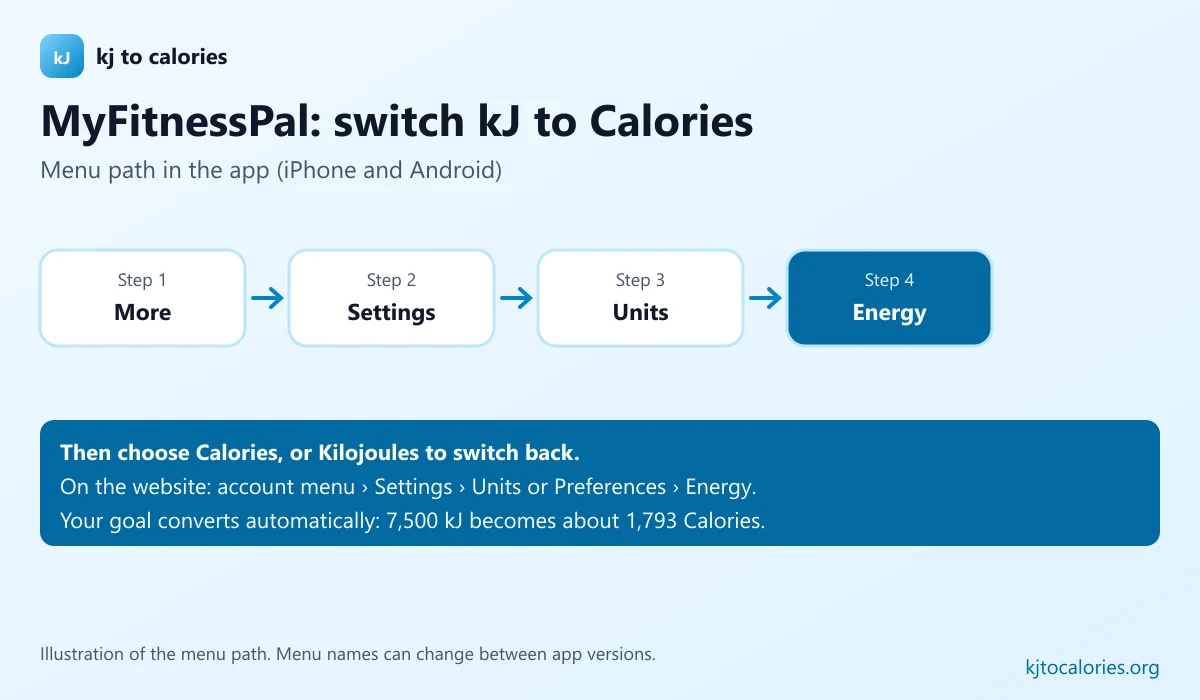
- Open MyFitnessPal.
- Tap More (or the menu / your profile, depending on your version).
- Tap Settings.
- Tap Units (sometimes under Preferences or App Settings).
- Tap Energy and choose Calories: or Kilojoules to switch back.
Change It On The MyFitnessPal Website
- Sign in at MyFitnessPal in your browser.
- Open Settings from your account menu.
- Find Units or Preferences and set Energy to Calories or Kilojoules.
- Save the change.
What Happens To Your Goals And Diary
- Your daily goal is converted automatically (for example 7,500 kJ becomes about 1,793 Calories).
- Past diary entries are shown in the new unit.
- Food database entries display in your chosen unit, whatever unit they were entered in.
| Goal in kJ | Goal in Calories |
|---|---|
| 5,000 kJ | 1,195 kcal |
| 6,300 kJ | 1,506 kcal |
| 7,500 kJ | 1,793 kcal |
| 8,700 kJ | 2,079 kcal |
| 10,000 kJ | 2,390 kcal |
Logging kJ Labels While The App Is In Calories
If you keep MyFitnessPal in Calories but your food labels show kJ:
- Take the kJ per 100 g from the label.
- Divide by 4.184 to get Calories per 100 g (or use the food label calculator).
- Create or edit the food with a 100 g serving, then log the grams you ate.
Spotting kJ/Calorie Mix-Ups In The Database
Some user-added foods have the kJ number typed into the Calories field, making them look four times too high. A warning sign is a 100 g apple showing around 218 “Calories”, it should be about 52 Calories (218 is its kJ value). Choose verified entries or compare with the pack.
FAQ
How do I change MyFitnessPal from kJ to Calories?
In the app, go to More → Settings → Units → Energy and choose Calories. On the website, change Energy under your account’s Settings.
Does changing units change my goal?
Your goal is converted to the new unit, so the amount of energy stays the same.
Why is my MyFitnessPal showing kJ?
Accounts set up in countries that label food in kilojoules, such as Australia and New Zealand, often default to kJ.